Introduction
Writing clearly and professionally is an essential skill in 2026, whether you’re a student, blogger, freelancer, or business owner. However, many people struggle with grammar mistakes, unclear sentences, or lack of confidence in their writing.
This is where Grammarly AI becomes a powerful tool. It helps beginners write better, faster, and with more confidence — even if English is not their first language.
In this guide, you’ll learn what Grammarly AI is, how it works, and how you can use it to improve your writing instantly.


What is Grammarly AI?
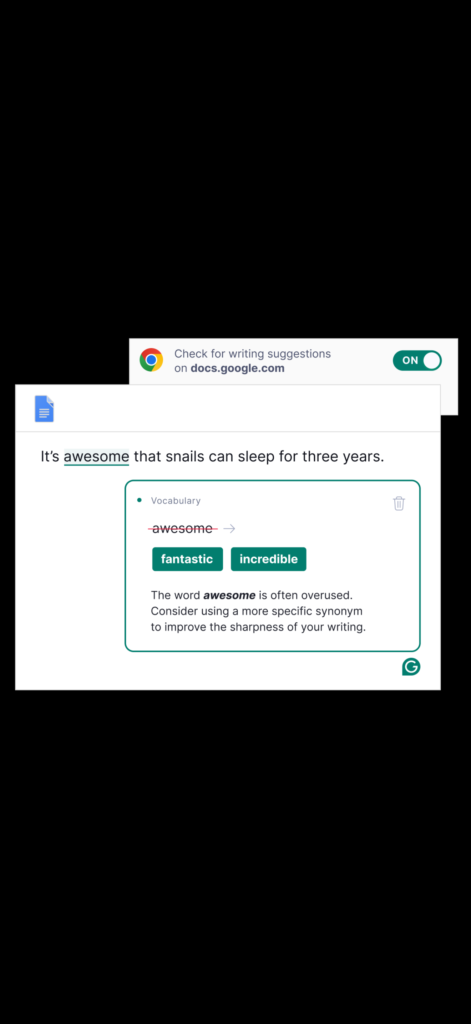
Grammarly AI is an intelligent writing assistant that checks your grammar, spelling, punctuation, and sentence clarity in real time.
It uses artificial intelligence to understand your writing and suggest improvements, making your content sound more natural and professional.
You can use Grammarly on:
• Your browser (Chrome / Edge extension)
• Microsoft Word
• Google Docs
• Emails
• Websites
• Social media posts
⸻
Key Features of Grammarly AI
Grammarly is more than just a spell checker. It offers advanced features powered by AI:
✔ Grammar and Spelling Correction
It instantly detects mistakes and fixes them while you type.
✔ Sentence Clarity Improvement
Grammarly suggests better sentence structures to make your writing easier to understand.
✔ Tone Detection
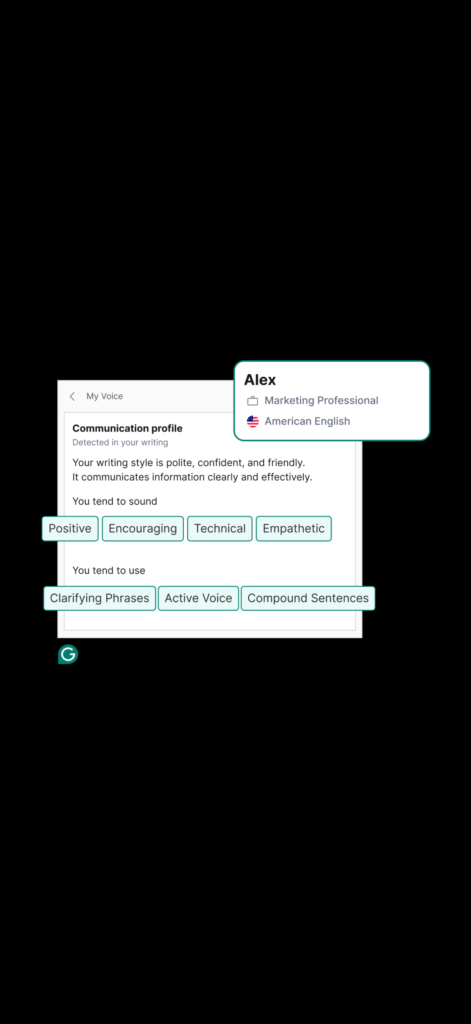
It tells you how your message sounds — formal, friendly, confident, etc.
✔ AI Writing Suggestions
It helps rewrite sentences using AI to sound more professional.
✔ Plagiarism Detection (Premium)
Ensures your content is original.
⸻
How to Use Grammarly AI (Step-by-Step)
Getting started with Grammarly is very simple:
Step 1: Create a Free Account
Go to the Grammarly website and sign up using your email.
Step 2: Install the Browser Extension
Add Grammarly to Chrome or your browser. It will start working automatically.
Step 3: Start Writing Anywhere
Open Gmail, Google Docs, or any website and begin typing.
Step 4: Accept Suggestions
Grammarly highlights mistakes and offers corrections. Just click to apply them.
Step 5: Use AI Rewrite
You can ask Grammarly to rewrite sentences to sound clearer or more professional.
Benefits of Using Grammarly AI
Using Grammarly daily can significantly improve your writing skills.
- Saves time editing your work
- Helps non-native English speakers write confidently
- Improves professionalism in emails and content
- Makes blog posts easier to read
- Reduces embarrassing grammar mistakes
- Helps you learn while writing
Many freelancers and bloggers rely on Grammarly to produce high-quality content faster.
Free vs Premium Version
The free version is already powerful and enough for beginners.
Free Plan Includes:
- Grammar correction
- Spelling check
- Basic clarity suggestions
Premium Plan Adds:
- Advanced rewriting
- Tone adjustments
- Plagiarism detection
- Vocabulary enhancement
You can start free and upgrade later if needed.
Is Grammarly AI Worth It?
Yes — especially for beginners.
Grammarly is one of the easiest AI tools to use because it works automatically in the background. You don’t need technical knowledge to benefit from it.
Whether you’re writing blog posts, assignments, emails, or social media content, Grammarly helps you sound more confident and professional.
Conclusion
Artificial Intelligence is transforming how we write, and Grammarly AI is one of the best tools available today.
It allows anyone — even beginners — to produce clear, polished writing without spending hours editing.
If you want to improve your writing skills and work more efficiently, Grammarly is an excellent place to start.
Good
Great article! This helped me understand how to start using AI tools. Thanks!